ChatGPT
 Perplexity
 Grok
 Claude

The best Notion alternatives depend on who reads the pages. A team wiki for your own staff is served by Slite or Nuclino, and by Confluence or Outline. A workspace of linked databases is Coda's job, customer-facing documentation is Document360's, and a help center that lives beside the inbox is RolChat's. These are the alternatives to Notion compared below, and each section keeps to what the vendor's own pages say on 16 November 2026.
Seven platforms are described, RolChat first because it publishes this page, and between them they count five different things: members, users, Doc Makers, a quote and a whole company. The order after RolChat is not a ranking. What separates the tools is the job each was built for, what the plan counts, and whether a customer can search the pages without logging in. Competitor prices are left out on purpose.
Descriptions are general and drawn from what each vendor publishes. This is not a benchmark or an audit, and no competitor pricing appears below. Confirm current plans and features on each vendor's own site. Product names and logos belong to their owners, and the screenshots show each vendor's public pages as they looked on 16 November 2026. RolChat publishes this page and is one of the seven platforms compared.
Our Top Picks
Three picks for three situations: a help center that shares a workspace with the inbox, internal docs that must not go stale, and a small team wiki that can publish pages. The sections below hold the detail and the limits of each.
A help portal on help.rolchat.com or your own domain, with the inbox and ticketing and a CRM in the same workspace, priced per company.
Basic lists a doc verification workflow, and Pro adds an agent that drafts updates for outdated pages.
Starter adds publishing and Business a custom publishing domain, and the pricing page lists list, board, table and graph views.
RolChat publishes this page and is listed first on purpose, so read its claims against its own pricing page. The other six platforms are described from their vendors' own pages, checked on 16 November 2026, and where a vendor does not publish a limit or a plan sheet, the section says so. No competitor prices are shown.
Why teams look for Notion alternatives
Notion's home page calls it the place "where teams and agents think together", and its own claims are large: 100 million users in over 50 countries and a G2 ranking as the number one knowledge base for three years running. That breadth is the product. It is also the usual reason a team starts comparing Notion competitors, because a wiki, a database and a project board in one workspace is more than a team needs when the real job is narrow.
A Notion alternative is a tool that covers the one part of Notion a team actually uses, such as the internal wiki, the linked databases or the public documentation, without buying the whole workspace. Some replace the wiki alone, others replace the wiki and the help center together.
Two reasons recur. The first is the audience of the pages. Notion's pricing page lists publishing a page to the web and basic sites on every plan, and custom sites from Plus, but it does not list a help center portal with article statuses, helpful votes or agent-only articles, so support teams often outgrow it as the front door for customers. The second is how the bill is counted, which the next section sets out, because members, AI credits and page history each sit in a different plan.
Notion's wiki page promises a "wiki that redefines wiki" and lists synced blocks and a verification feature, so the question is less whether Notion can hold your docs and more whether it is the right place for them. A team that keeps internal runbooks and meeting notes may stay put. A team whose customers read the pages is choosing a different kind of tool, and the knowledge base guide explains how a support base is organised before you commit.
How Notion pricing works
Notion pricing is a ladder of four plans from Free to Enterprise, each counted per member per month on the pricing page checked on 16 November 2026. The table lists what the page meters, in Notion's own words and with no amounts, because the vendor's page holds the amounts.
| Meter | How Notion words it |
|---|---|
| Members | Every plan with a listed rate is shown per member per month |
| Page history | 7 days, 30 days, 90 days and custom, across the four plans |
| File uploads | Up to 5 MB on the entry plan and up to 5 GB on the paid plans |
| AI | A limited trial of Notion AI on the lower plans, and Notion Agent on Business |
| Custom Agents | Requires Notion credits, billed per block of credits |
For Notion Plus pricing and Notion Business pricing alike, the count that grows is members, and the AI line grows with credits. A verified badge on up-to-date pages, "Verify any page", appears only in the Business column, which matters later in this guide because freshness is where the alternatives differ most. Private teamspaces sit in Business as well.
Notion's entry plan is aimed, in the page's words, at "individuals to organize personal projects and life", while Plus is "for small teams and professionals". Anyone comparing Notion plan limits should read the columns on Notion's own page, since limits such as the 5 MB upload cap and 7 days of history are listed there.
RolChat
RolChat is not a wiki. It is a customer help center that shares a workspace with the inbox, ticketing and the CRM, and it is the only product here priced per company rather than per person. Switching the module on creates a portal at help.rolchat.com under your account slug, and a custom domain such as help.yourcompany.com needs one CNAME record pointing to portal.rolchat.com and a Verify click. TLS is issued automatically, and the original address keeps working beside the new one.
In the editor, articles take rich text with tables, callouts, code blocks and embedded video, with images up to ten megabytes, and each article carries a category and tags plus an SEO title and a description. Everyone can write drafts, while Managers and above publish and archive, and Admins delete articles and change portal settings. An article moves from draft to review to published, can be archived, and is either public or internal for agents only.
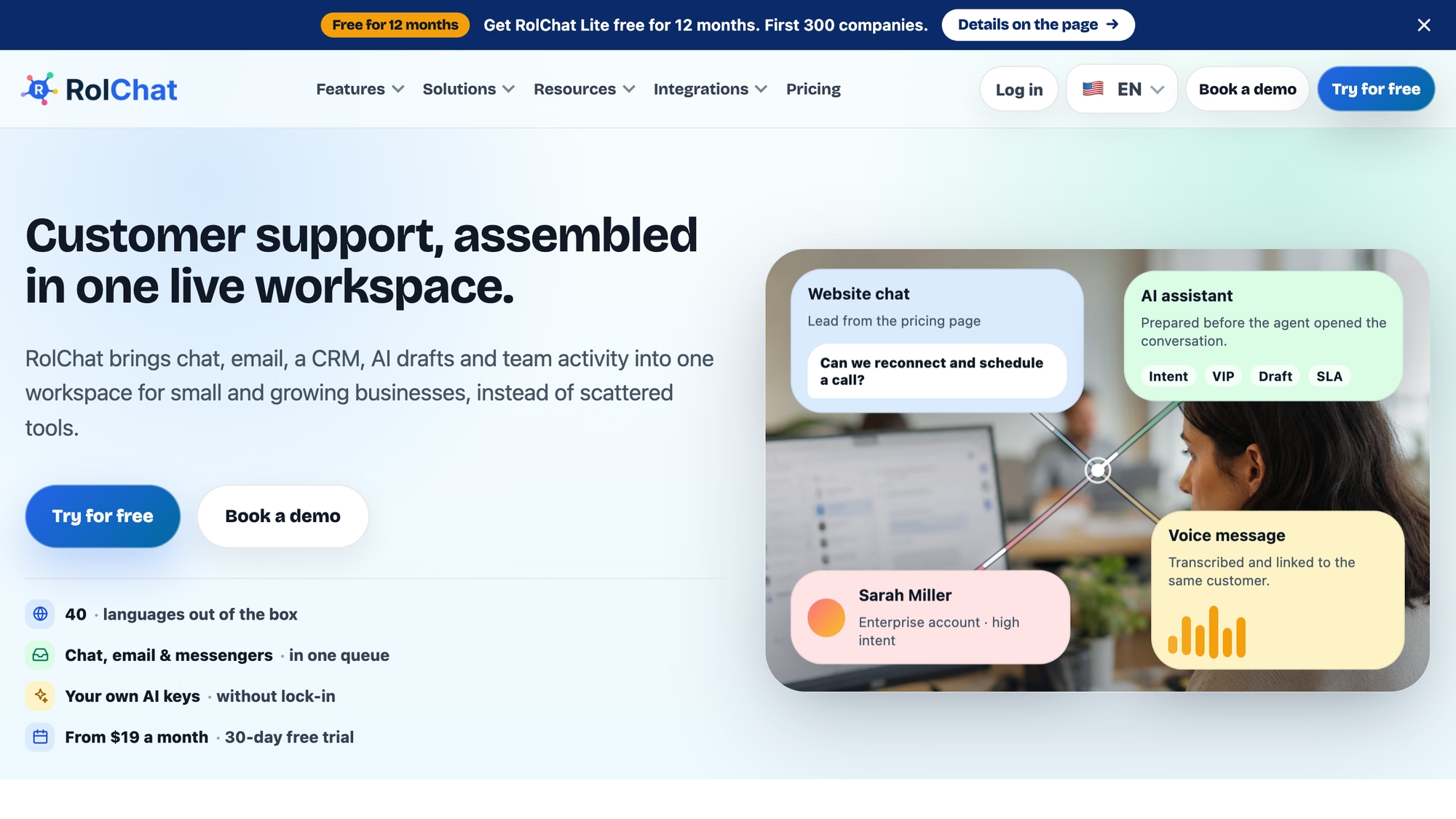
Search is full text with typo tolerance and shows results in the reader's language first, and the portal can be arranged with about two dozen toggles in Settings. Every portal page meets WCAG 2.1 level AA, and pages are indexable by search engines unless you mark the portal private, so the same article serves a customer on Google and an agent in the inbox. For the accessibility standard itself, the W3C's WCAG 2.1 text is the primary source.
- One portal is included on every plan in the pricing table, Lite included.
- The chat widget shows the three best matching articles while a visitor types, and an agent's side panel has a search with an Insert link action.
- A visitor who finds the answer can say so, and the reports count it as a deflection.
- One article can exist in several languages, and the portal falls back to the default language when a translation is missing.
- With an AI key connected, gap detection turns questions that got low-confidence answers into draft articles, and a draft never goes live until a person confirms it.
Lite is $19 a month per company with 3 agents and 1 site, and Standard is $49 with 10 agents and 5 sites. Each extra agent is $5 and each extra site $10 from Standard up, Premium is listed as coming soon, and Enterprise is custom. There is no free-forever plan: the trial lasts 30 days, and a limited Founding 300 offer, described on its own page, gives the first 300 companies Lite free for 12 months.
Know the limits before you move docs across. RolChat has no databases, no boards and no project pages, and its migration offer covers contacts, team settings and the widget but does not list help articles. A team that keeps meeting notes and project plans in a wiki tool keeps that tool and moves only the customer-facing articles, and the internal-only visibility is meant for agent how-tos, not for a company handbook.
Best for: a support team of up to ten that wants the help center, the inbox and the CRM under one company price and keeps its internal wiki elsewhere.
Slite
Slite's home page promises "a source of truth for your team. And the AI they work with", and the part that sets it apart from a plain wiki is upkeep. The page says Slite Agent monitors Slack, Linear, GitHub and the codebase for signs that a document has fallen behind, then sends a drafted rewrite to the document's owner, and "Nothing goes out unchecked".
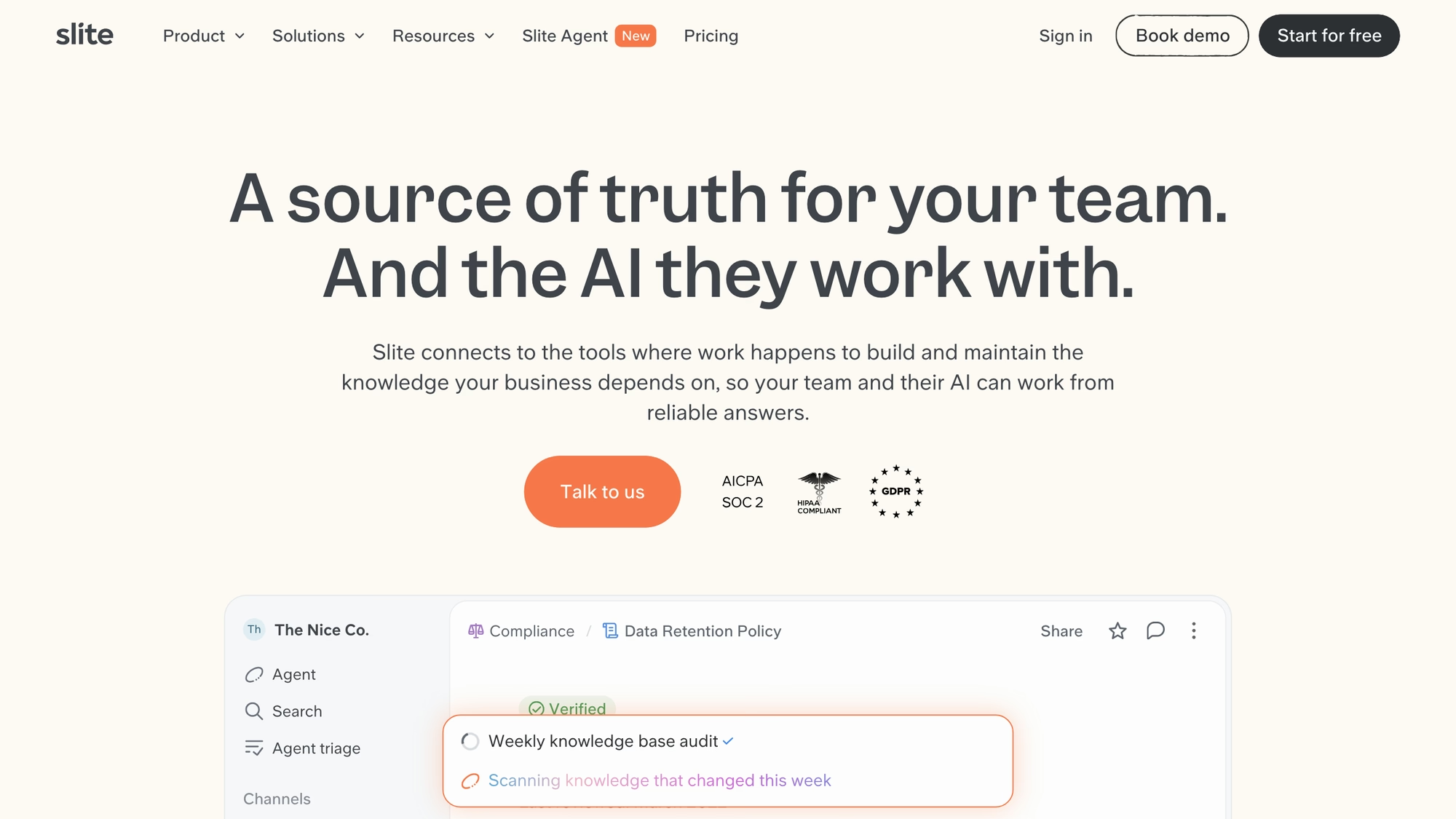
Billing is per user per month, billed yearly, across the three plans on the pricing page, named Basic and Pro with Enterprise above them. Where Notion keeps its verified badge for the Business plan, Slite lists a doc verification workflow already on Basic.
- Basic lists unlimited docs, AI search and answers limited to 30 monthly questions per seat, the verification workflow, a Knowledge Management Panel, and MCP and API access.
- Pro adds the Slite Agent, agent workflows with 50 monthly credits per seat, search across connected tools and a custom domain for public docs.
- Enterprise adds reader-only seats, audit logs and SCIM, plus a custom credit allowance.
- File upload is capped at 200MB on Basic and unlimited above it.
A custom domain for public docs sits in Pro, so a team that wants customers to read Slite pages under its own address needs the middle plan, and the pricing page does not describe a help center portal with article votes.
Best for: an internal team whose pain is outdated documents, and that will pay per seat to keep them current.
Nuclino
Nuclino calls itself "your team's collective brain" and sells speed and calm: a "modern, simple, and blazingly fast" way to bring knowledge, docs and projects together in one place, as its home page puts it. The home page says it is trusted by 12,000+ teams, and the pricing page lists list, board, table and graph views.
The shape of the plans is easy to read. The three plans (Free, Starter, Business) are each priced per user per month. Items, canvases and storage are capped on the entry plan, while Starter lists unlimited items and canvases, admin tools and publishing, with 30-day version history, and Business adds Sidekick, the AI assistant, plus an audit log, team insights, SAML single sign-on, a custom publishing domain and unlimited version history.
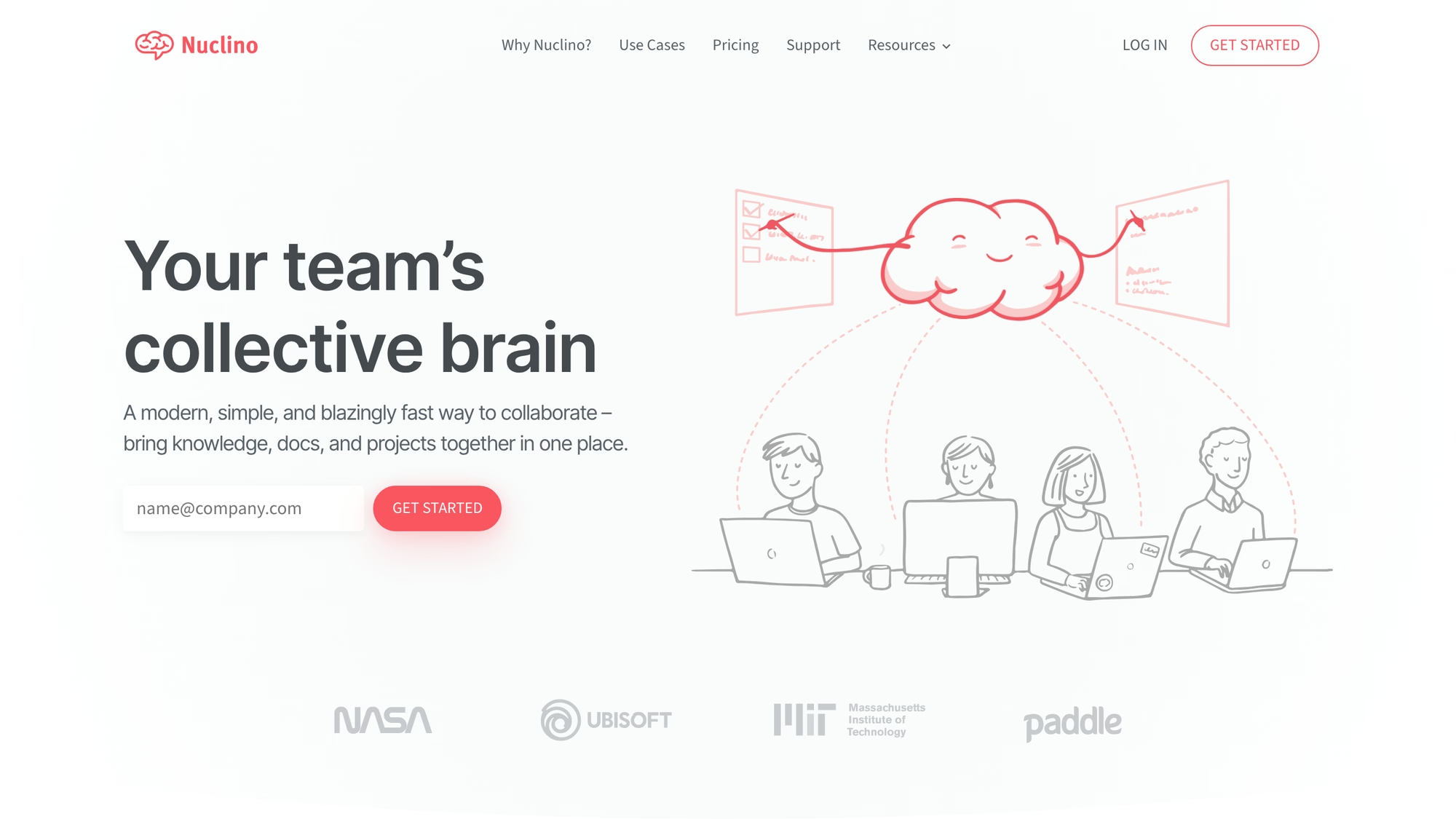
Publishing starts on Starter, and a custom publishing domain on Business, so Nuclino can serve a public page. Its pricing page does not describe article statuses or votes, or a separate reader portal.
Best for: a small team that wants a quick wiki and will start on the Free tier.
Confluence
Confluence is Atlassian's answer to the same question, and its pages describe it as "your organization's single source of truth", built from pages and whiteboards, databases and Loom video. The features page leans on built-in Jira integrations, which is the reason most teams already on Jira look here first. Atlassian also says on the home page that it was named a Leader in the 2026 Gartner Magic Quadrant for Collaborative Work Management. The pricing page is a four-plan ladder, from Free to Enterprise, counted per user per month. Standard is the first plan that lists Rovo Search, Chat and Agents, guest access at no charge and advanced permissions, and Premium lists unlimited pages and spaces, a dynamic intranet and a 99.9% uptime SLA.
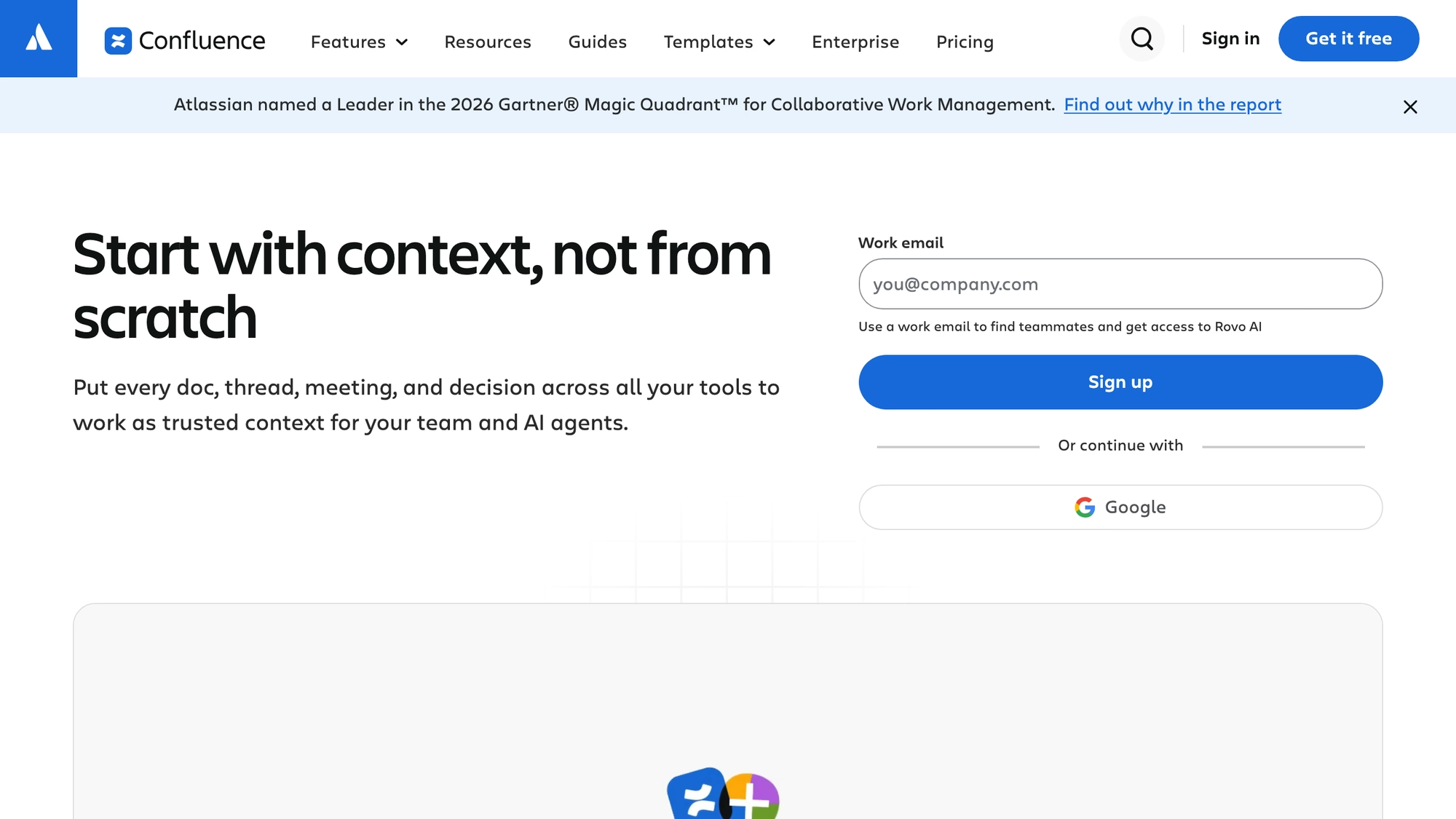
Automation is metered in steps: the entry plan counts them per subscription, while Standard lists 100 per user per month and Premium 250. Whiteboards are counted too, and Premium lists unlimited whiteboards.
- The home page says "status markers and automation flag stale pages", which is its answer to documents that quietly go out of date.
- Databases aggregate information from Jira and third-party apps and can be shown as tables, cards or boards.
- Guest access is free of charge from Standard, up to 5 guests per paid user, and the page adds that view-only pages can be shared by public link, for example customer FAQs and release notes.
- Single sign-on and SCIM need a separate Atlassian Guard subscription on every plan below Enterprise.
Atlassian's pages checked describe a workspace for teams and do not list a public help center portal, so for customer-facing articles the vendor's other products are the place to look, and this page has not verified them.
Best for: teams that already run Jira and want their docs in the same family of tools.
Document360
Document360 is knowledge base software and says so in the headline: "Intelligent Knowledge Base Software, where Humans & AI work together". It splits the product in two. The Portal is for editors and writers, with a review step, and the Site is for customers and employees, so the reading side is a separate, published thing and not a shared workspace.
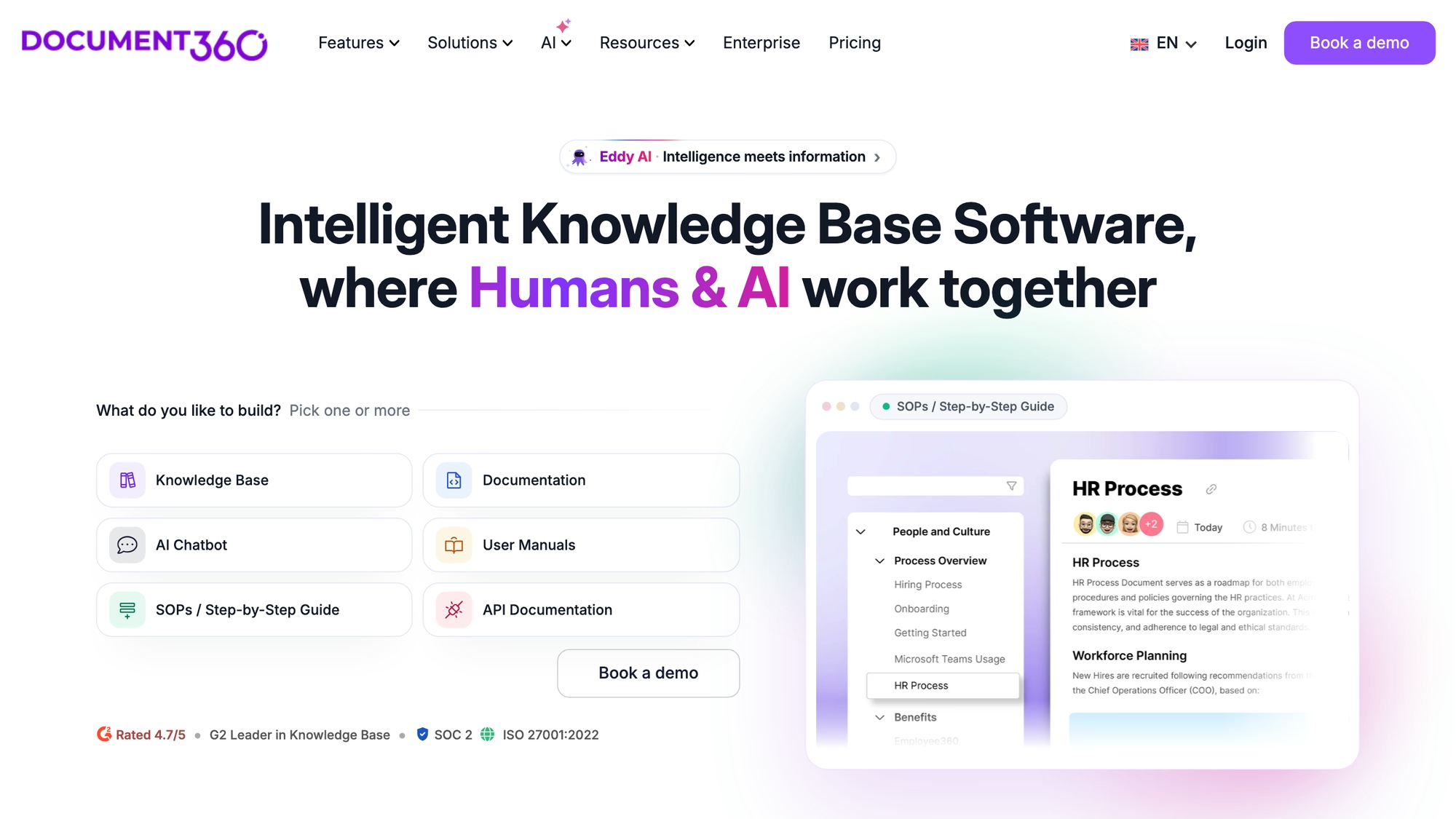
Its feature list reads like a documentation team's checklist: an editor, a Feedback Manager, analytics, a custom workflow builder, import from PDF and Word, SEO customization, an interactive decision tree and a support ticket deflector, with an AI chatbot and an MCP server marked new. Its solutions menu names both an internal and an external knowledge base. The page prints a 4.7 out of 5 G2 rating, SOC 2 and the 2022 edition of ISO 27001, and businesses in more than 150 countries.
Pricing is a quote: the page does not show a plan table. It opens a three-step request form with the heading "Pricing tailored to your setup", asking whether you are building a help center, an internal knowledge base or SOPs, so the cost is a quote. The migration banner on the home page names Confluence and Zendesk, Microsoft Word and SharePoint, and Google Docs as sources, and Notion is not among them on that page.
Best for: a documentation owner who needs a dedicated, reviewed public help site and will ask for a quote.
Coda
The name needs a footnote. Coda's home page now carries a banner reading "Coda is now Superhuman Docs", and the pricing address redirects to Superhuman's plan page, where the product is called Docs. The product itself is the one the home page describes as "your all-in-one collaborative workspace": docs that behave like apps, with connected tables, buttons, and automations.
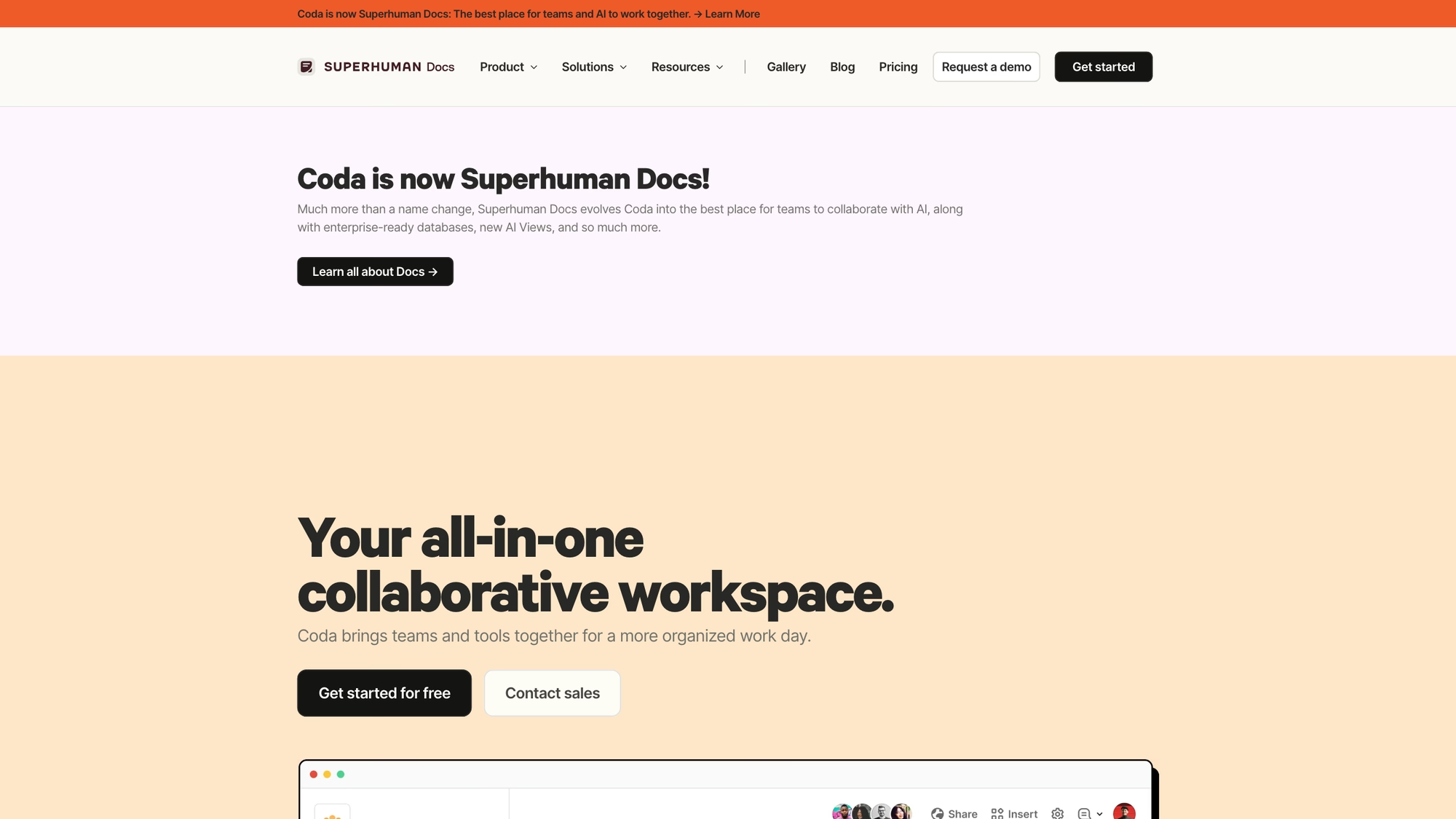
That makes Coda the closest alternative to Notion's databases rather than to its wiki. Pricing is per Doc Maker per month, with a lower rate when billed annually, across four plans from Free to Enterprise. The plans start with collaborative docs, connected tables with views and forms, and formulas and automations, and version history grows from 7 days to 30 days on Pro and to unlimited on Business.
- Pro lists 30-day version history, unlimited doc size and custom icons, branding and domains.
- Business lists unlimited automations, unlimited version history and private folders for teams.
- Docs AI is marked Beta, and databases on the Business plan are marked Beta too.
Best for: a team that built Notion databases into small apps and wants formulas and buttons.
Outline
Outline is the open source option, with the home page counting 10 years of open source and 40k GitHub stars. You choose how to run it: cloud hosted, or deployed on your own server. Its pitch is a fast editor with markdown support, real-time editing and comments with Slack integration, and public sharing with your own brand colors and logos, and your own domain.
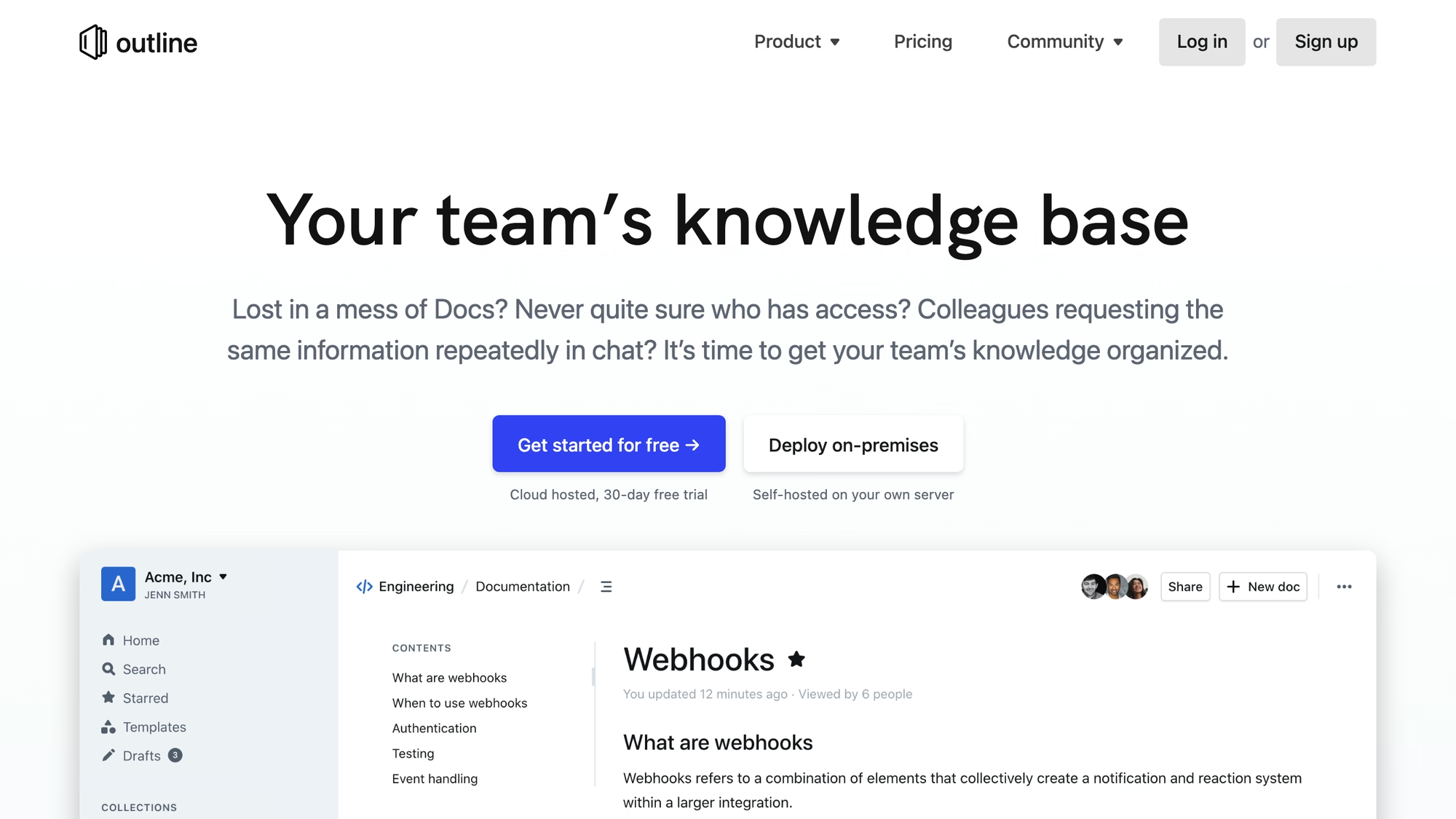
Cloud billing is per user per month on two plans named Standard and Business, and the table on the pricing page shows what both include: unlimited docs with version history, real-time editing, SSO, 20+ integrations including Zapier, an API with webhooks, an MCP server and 5 free guests per paid member. Guests beyond the free allowance are billed as users.
- AI question answering, which is not included on Standard.
- A security audit log.
- Workspace analytics and additional security controls.
- Microsoft group sync for Entra ID groups.
Best for: a technical team that wants a clean wiki it can self-host.
Do you need an internal wiki or a customer help center?
You need a wiki when the readers are your own people and a help center when the readers are your customers. A wiki optimises for writing and linking, and for finding things inside a team, and a help center adds what a stranger needs: search that forgives typos, a way to say the answer helped, pages that search engines can index, and some articles kept for agents only.

On that split, Slite and Nuclino, Confluence, Coda and Outline are written first for the team, although several can publish pages. Document360 is written first for the reader, and RolChat adds the help center to the inbox where the questions already arrive. Many teams run both a wiki and a help center and should not try to make one tool do both.
Pick the job first and the tool second.
A wiki holds what your team knows; a help center holds what your customers are allowed to read.
How each tool keeps pages from going stale
Page freshness is where these tools differ most, and it is the question operators ask after the first month. Notion lists a verified badge on the Business plan. Slite lists a doc verification workflow on Basic and an agent that drafts updates for outdated documents on Pro. Confluence says status markers and automation flag stale pages. Document360 lists a custom workflow builder and a Feedback Manager. RolChat's articles move from draft to review and then to published, and gap detection drafts new articles from the questions the bot answered with low confidence.
A verification badge says a person looked at a page, while a drafting agent only proposes a change. Neither is the same as the page being right. Outline lists version history, as do Nuclino and Coda, and their pages checked do not describe a stale-page flag.
Either way, a named person has to own the page.
What each plan counts
Per-person billing makes sense for a wiki, because every editor is a person, and it is awkward for a help center, because the people who matter are readers. Notion and Slite count people who log in, as do Nuclino and Outline, and Confluence counts users per site. Coda counts Doc Makers, which spares readers. Document360 gives no unit, only a quote. RolChat counts the company, so the number of agents is the only thing that moves the bill.
Arithmetic is simplest where the unit is a company. A team of four outgrows Lite's three agents and takes Standard at $49 a month. A team of twelve pays $49 + 2 x $5 = $59 a month, because Standard covers ten agents and each extra agent is $5, which comes to about $590 a year on annual billing: $490 for the plan plus $100 for two extra agents at ten months each. With a per-user vendor you would multiply its own unit by the number of editors, and the vendor's plan page is where to find that unit.
What to check on a free option or a trial before moving pages
Free options and trials change often, and this page shows no competitor offers or prices, so the vendor's own pricing page is the place to read them on the day you decide. Anyone looking for free Notion alternatives should compare what the cheapest option caps before moving a whole workspace, because the limit decides whether it is a real tool or a demo.
| What to check | Why it matters for docs and help content |
|---|---|
| Items, pages or blocks | A cap here stops a wiki that grows past its first hundred pages |
| Page history | Short history leaves no way back after a wrong edit |
| Publishing and custom domain | Decides whether a reader outside the team can open a page, and at which address |
| Readers and guests | A per-person bill grows with readers, a per-company bill does not |
| AI | Some vendors meter AI separately, so ask what is included and what is billed in credits |
RolChat has no free-forever plan: the trial lasts 30 days, and the limited Founding 300 offer described in the RolChat section gives the first 300 companies Lite free for 12 months.
Does the AI come with the wiki?
Every vendor here now sells an AI layer, which makes alternatives to Notion AI and Notion alternatives without AI hard to find, and the meter differs more than the feature name. Notion shows a trial on its lower plans and Notion Agent on Business, with Custom Agents billed in credits. Slite puts AI search on Basic with a monthly question cap per seat and agent credits on Pro. Nuclino names Sidekick on Business, Confluence gives Rovo from Standard, and Outline offers AI question answering on Business only. Coda marks Docs AI as Beta, and Document360 carries Eddy AI and an AI chatbot.
RolChat has no AI meter of its own. The text models run on a provider key you connect, you pay that provider directly, and a draft written by the AI never goes live until a person confirms it. Without a key the portal, the editor and the search keep working, which is as close to an AI-free option as this list gets.
What to test during a trial
Start with a real page, not a demo. The four checks below take an afternoon and show the difference between a wiki and a help center faster than a feature list does.
- Paste your ten most-read internal pages and your ten most-asked customer answers into the tool and see which set it handles better.
- Search for a question with a typo in it, once as an editor and once as an anonymous reader, and compare the results.
- Mark one page as outdated and see who is told and how.
- Ask what an extra reader, an extra editor and an extra site add to the invoice.
Then check what leaves with you. RolChat's migration offer lists contacts, team settings and the widget and not help articles, and Document360's banner names other migration sources and not Notion, so for any tool ask which formats it imports and which it exports. Anything only a vendor can answer, such as an export limit, is worth asking for in writing.

Compare
This table uses only what each vendor publishes, with the billing unit in the vendor's own terms and no amounts. Notion is added as a reference row, and Notion's plan amounts are on Notion's own page. Plans and pages were checked on 16 November 2026.
| Platform | Built first for | Public pages from the product | Billing unit as published | AI as listed on the pages |
|---|---|---|---|---|
| RolChat | Customers, beside the inbox and tickets | Help portal on help.rolchat.com or a custom domain, on every plan | Per company, not per agent | Your own provider key; no meter |
| Slite | Internal team docs | Custom domain for public docs on Pro | Per user per month | Ask on Basic, Slite Agent on Pro |
| Nuclino | Internal team wiki | Publishing from Starter, custom domain on Business | Per user per month | Sidekick on Business |
| Confluence | Internal knowledge and Jira teams | Free guest access from Standard; no help portal listed | Per user per month | Rovo from Standard |
| Document360 | Customer and internal documentation | Separate Site for customers and employees | A quote by form | Eddy AI and an AI chatbot |
| Coda (Superhuman Docs) | Docs with connected tables | Custom domains on Pro | Per Doc Maker per month | Docs AI, Beta |
| Outline | Internal wiki, open source | Public sharing with your own brand and domain | Per user per month, or self-hosted | AI question answering on Business |
| Notion | A wiki with databases and projects | Web pages and sites from Free | Per member per month, plus credits | Agent on Business, Custom Agents on credits |
FAQ
What is the best alternative to Notion?
It depends on who reads the pages. Slite and Nuclino suit an internal team wiki, Confluence suits a team already on Jira, Outline suits a team that wants open source, Document360 is built for customer-facing documentation, and RolChat puts a help center beside the inbox on one company price.
Is there a free alternative to Notion?
Free options and trials change often, and this page shows no competitor offers, so read each vendor's pricing page on the day you decide and check what the free option caps: pages, history, publishing and readers. RolChat has no free-forever plan, only a 30-day trial, and a limited Founding 300 offer gives the first 300 companies Lite free for 12 months.
What are the main Notion competitors?
The Notion competitors profiled here are Slite, Nuclino, Confluence, Document360, Coda (now called Superhuman Docs), Outline and RolChat. Each answers a different part of what Notion does, so the right competitor depends on whether you need a wiki, a database workspace or a help center.
How does Notion pricing work?
Notion's pricing page lists four plans, from Free to Enterprise, all counted per member per month. AI is metered on top: the Business plan lists Notion Agent, and Custom Agents require Notion credits. The amounts are on Notion's own page.
Which Notion alternative has no AI?
Every vendor here now lists some AI layer on its own pages, so none is AI-free. Outline's Standard plan leaves out AI question answering, and RolChat's help portal and editor keep working without any AI key connected, and so does its search.
Can Notion be used as a customer help center?
Notion's pricing page lists publishing a page to the web and basic sites on every plan and custom sites from Plus. It does not list article statuses, helpful votes or agent-only visibility, so a support team should test those needs before publishing a help center from Notion.
Which Notion alternative is cheapest per person?
Compare the billing unit before the amount. Confluence and Slite bill per user, as do Nuclino and Outline, Coda bills per Doc Maker, and Document360 quotes through a form. RolChat bills per company, and Lite is $19 a month for 3 agents on its pricing page of 16 November 2026.
Can I import Notion pages into RolChat?
RolChat's migration offer lists contacts, team settings and the chat widget and does not list help articles, so articles are written or pasted in again. Document360's migration banner names Confluence and Zendesk, Microsoft Word and SharePoint, and Google Docs and not Notion, so ask each vendor which formats it imports.

Writes about customer support operations, live chat, AI-assisted service and the tooling behind great customer experience.
LinkedIn