ChatGPT
 Perplexity
 Grok
 Claude

The best HubSpot alternatives depend on which part of the suite your team opens every day. A team that lives in a shared inbox, support tickets and a CRM can get all three from RolChat on one price per company. Teams that work from a sales pipeline or the phone will look at Pipedrive or Close, teams that still send campaigns will look at ActiveCampaign, Brevo or Nutshell, and Zoho CRM suits a team that expects to climb through editions. These are the alternatives to HubSpot compared below.
Seven platforms are described below, RolChat first because it publishes this page, and between them they count four different things: seats or users, contacts, emails sent, and a whole company. The order after RolChat is not a ranking. What separates the tools is mostly mechanics: what the plan counts, which features sit behind a higher edition, and whether a customer inbox ships in the product or arrives as an add-on. Each section reports what the vendor's own pages say on 9 November 2026, and competitor prices are left out on purpose.
Descriptions are general and drawn from what each vendor publishes. This is not a benchmark or an audit, and no competitor pricing appears below. Confirm current plans and features on each vendor's own site. Product names and logos belong to their owners, and the screenshots show each vendor's public pages as they looked on 9 November 2026. RolChat publishes this page and is one of the seven platforms compared.
Our Top Picks
Three picks for three situations: one price for a whole customer workspace, calling inside a sales CRM, and a long edition ladder to grow into. The sections below hold the detail and the limits of each.
Chat, email, messengers, tickets and a CRM in one workspace, with one price per company instead of per seat.
Calling, email and SMS are built into the CRM, with a power dialer from the Growth plan and workflows from the same tier.
Standard, Professional, Enterprise and Ultimate editions, with Zia AI on top, as the team grows.
RolChat publishes this page and is listed first on purpose, so read its claims against its own pricing page. The other six platforms are described from their vendors' own pages, checked on 9 November 2026, and where a vendor does not publish a limit or a plan sheet, the section says so. No competitor prices are shown.
Why teams look for HubSpot alternatives
HubSpot sells one customer platform for marketing, sales and service. Its home page describes teams building demand, winning deals and serving customers on one set of customer data, and its pricing page names Marketing Hub, Sales Hub, Service Hub, Content Hub, Data Hub, Revenue Hub, Smart CRM and Agent Hub, plus a Small Business Bundle. The breadth is what teams buy, and it is the usual reason they start comparing HubSpot competitors or searching for HubSpot CRM alternatives.
A HubSpot alternative is a CRM or customer platform that covers the part of HubSpot a team really uses, such as the pipeline, the shared inbox or the ticketing, without buying the whole suite. Some replace the CRM alone, others replace the CRM and the inbox together.
Two reasons recur. One is scope: a team that answers customers and tracks deals may never open the content tools, the data tools or the marketing tools it pays toward. The other is how the bill is counted, which the next two sections lay out, because the number of users and contacts a team needs moves it between tiers.
On its Service Hub page HubSpot lists an AI-powered help desk with ticketing, a knowledge base for self-service, a customer portal and a Customer Agent that handles inquiries on email and live chat, so HubSpot Service Hub pricing is the line to read for a support team. The Sales Hub page adds deal pipelines, sequences and forecasting. A company that runs marketing, sales and service from one login gets a wide set of tools, and the question is whether you are that company, because each alternative below keeps one slice of it. If your contacts are the hardest part of a move, the contact management guide covers imports, duplicates and segments before you commit to a new tool.
How HubSpot pricing works
HubSpot pricing is not one list. The CRM plan page, checked on 9 November 2026, lists the Starter tier, and the Sales Hub page names Starter, Professional and Enterprise tiers for that hub, so HubSpot Starter pricing, HubSpot Professional pricing and HubSpot Enterprise pricing each depend on which hub you pick.
Service Hub, Marketing Hub and the others carry their own tiers, which is why HubSpot pricing plans are read hub by hub and why HubSpot Marketing Hub pricing says little about the cost of any other hub. A tier name alone does not tell you what a plan costs.
The meters on the HubSpot pricing page
HubSpot counts four things on its pricing page, and the table lists them in HubSpot's own words with no amounts.
| Meter | How HubSpot words it |
|---|---|
| Seats | Additional Starter seats can be added to an account at any time |
| Credits | The Starter tier lists 500 HubSpot Credits |
| Marketing contacts | A marketing contact tier sets the monthly email send limit |
| Billing term | Pay Monthly, Pay Annually or Commit monthly |
On the marketing side the page ties the monthly email send limit to a marketing contact tier, so HubSpot marketing contacts pricing and HubSpot email marketing pricing are read together. HubSpot Content Hub pricing sits on the same page as a separate hub.
This guide prints no HubSpot amount, for the same reason it prints none for any competitor: it shows billing units and limits, and the vendor's own page holds the amounts. For HubSpot CRM pricing 2026 and HubSpot pricing 2026 in general, that page is HubSpot's own. The number of users and the size of the contact list are the two inputs worth fixing before you read any tier.
- Contact management, deal tracking and meeting scheduling are on the list.
- It names live chat and a shared inbox, plus ticketing where tickets are assigned and tracked, with priorities.
- Forms and email marketing are listed as well.
RolChat
RolChat starts from the conversation. Its home page says it brings chat, email, a CRM, AI drafts and team activity into one workspace for small and growing businesses, instead of scattered tools. Website chat, email and Telegram come with every plan, and WhatsApp, SMS, Messenger, Instagram, Viber and LINE start with Standard. Every conversation shows the contact, past chats, open tickets and the active deal beside the reply, so an agent finds out who is writing without switching tabs. WhatsApp connects through a Meta business account, email arrives through SendGrid, Resend or Postmark with your own SMTP available for sending, and a reply to an agent's email joins the same conversation by its headers instead of opening a new one.
Lite carries contacts and leads. The next plan adds the full CRM: deals on a kanban board with custom stages and amounts and a close forecast, several pipelines running at once, lead routing rules and customer segments. A merge wizard finds duplicates by email address, phone number and similar names, and a CSV or Excel import shows a preview before it runs.
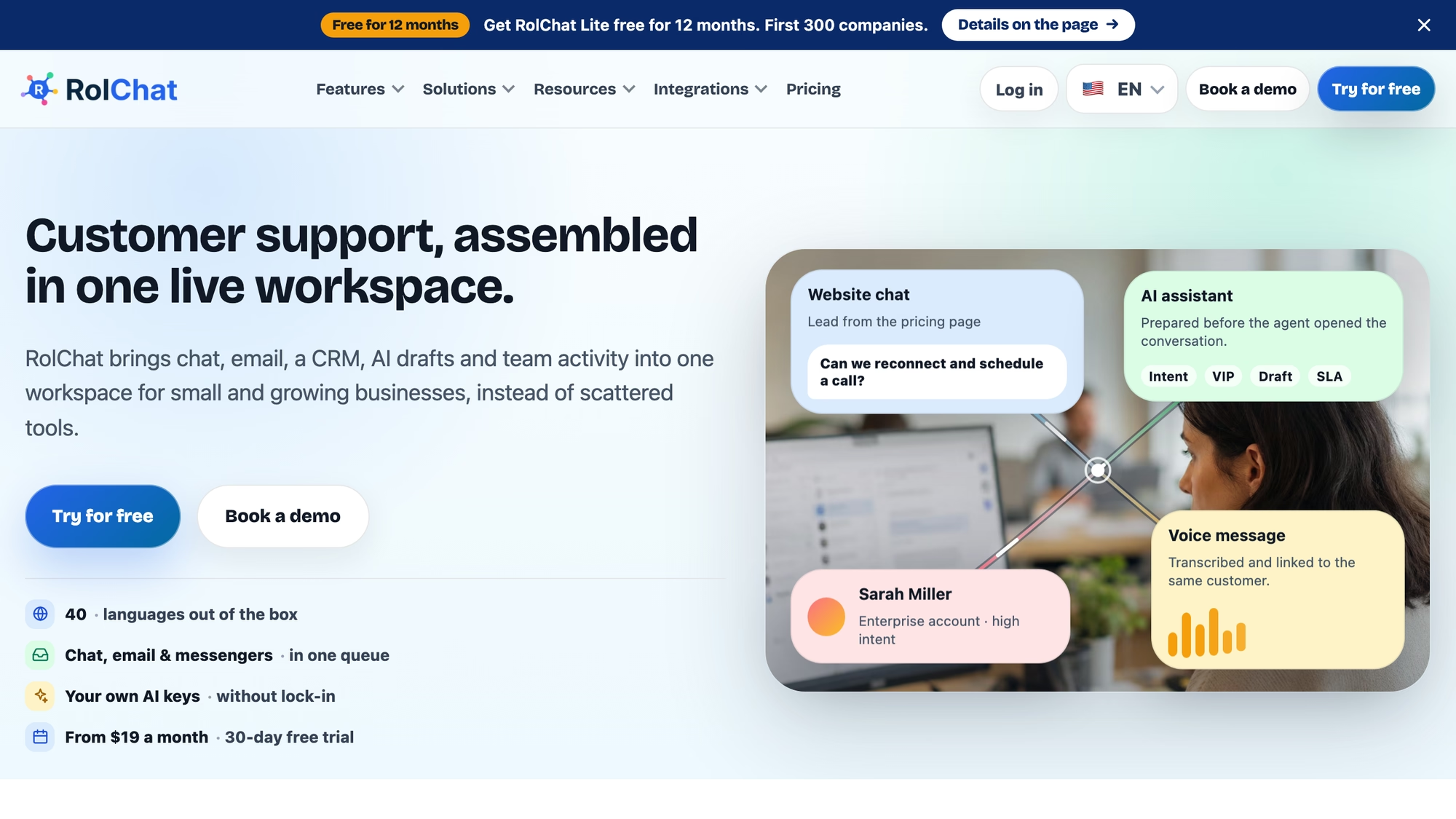
New conversations are assigned by round robin, to the least busy agent, or by skill so that English chats reach English speakers, and a cap sets how many chats one agent can hold at once. An AI copilot drafts replies, translates in real time and reads sentiment, and it runs on your own provider key.
Standard also brings SLA policies for tickets, with queues and escalations, a booking page that replaces a separate scheduling subscription, and lead forms and auto-replies in its marketing row. Both plans include a knowledge base for your site, website visitors and a widget and interface in 40 languages, and automation runs 5 rules on Lite and 10 rules above it. AI auto-replies, an AI tone of voice for your brand, and speech to text and text to speech in chat on your own key arrive with the higher plan.
- Lite lists website chat and email, Telegram as well, and contacts and leads with tickets and a knowledge base, for 3 agents and 1 site.
- Standard lists the full CRM, WhatsApp and the other messengers, SLA tickets with booking, and AI auto-replies, for 10 agents and 5 sites.
- AI uses text models from seven providers on a key you hold, and that provider bills you directly.
- A conversation can become a ticket with its thread attached, and reports cover CSAT, response time and SLA.
- Add-ons are separate invoice lines: extra agents and extra sites from Standard, and a consent and privacy module per site on every plan.
Lite is $19 a month per company and Standard is $49 a month. Each extra agent costs $5 and each extra site $10 from that tier up, the consent and privacy module is $5 a month per site, and Enterprise is custom, as the pricing table said on 9 November 2026. There is no free-forever plan: the trial lasts 30 days, and a limited Founding 300 offer, described on its own page, gives the first 300 companies Lite free for 12 months.
Know the limits before you move a HubSpot setup across. RolChat is built around the inbox, tickets and CRM. It is not a CMS, and its marketing side is described on the marketing page, so a team that lives in email automation should check that page against its needs. Telephony is coming soon. What RolChat replaces is the inbox, the ticketing and the CRM that sit around customer conversations.
Best for: a team of up to ten agents that answers customers on chat, email and messengers and wants the CRM in the same workspace under one company price.
Pipedrive
HubSpot's service half has no counterpart in Pipedrive's pages. The home page and the features page list no ticketing, no live chat and no shared team inbox, and the one inbox they name is a sales inbox with two-way email sync for up to five email accounts. What the pages do describe is a sales CRM that tracks the pipeline, optimizes leads, manages deals with AI and automates the sales process, so a support desk would be a second tool beside it.
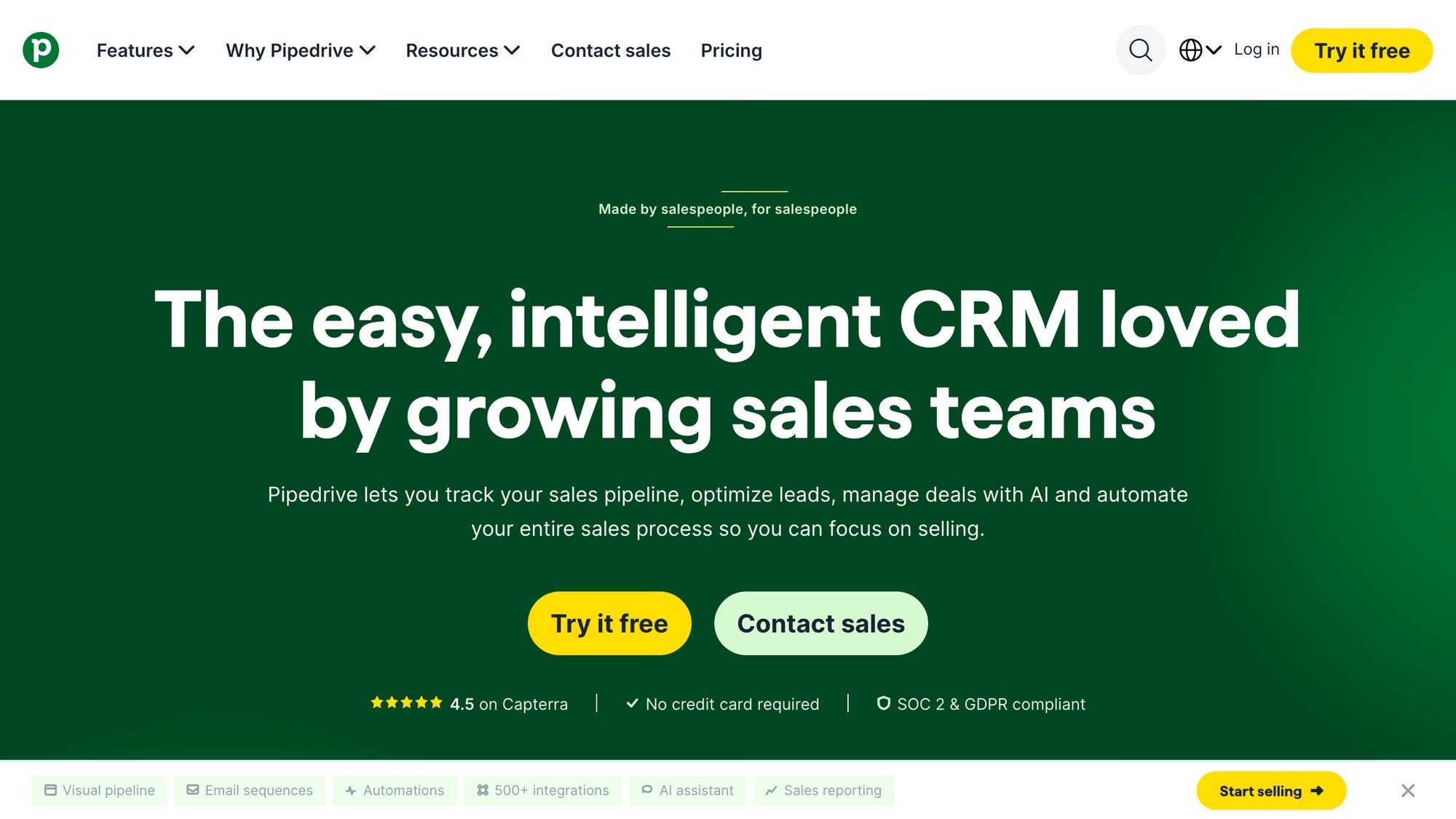
Pipedrive's pricing page returned a block page to the automated browser used for this guide, so the billing facts come from a support article and the vendor's blog: four plans from Lite through Ultimate, each priced per seat per month when billed annually.
A seat is charged whether or not a user is assigned to it.
- Nova, the AI feature, is included in every plan with no extra charge.
- A Campaigns tool covers email campaigns built from templates, and Smart Docs covers documents that can be shared and tracked.
- Lead capture and visitor tracking are add-ons: LeadBooster holds four lead generation tools, and Web Visitors names the companies behind visits to your site.
- The page names an open API and webhooks beside task automation and one-click contact management.
- Reports can be customized, and the page ties them to sales forecasting.
Best for: reps who live in the deal board and will add lead capture and visitor tracking as add-ons.
Zoho CRM
Zoho's CRM page calls it the easiest AI CRM for growth. An assistant named Zia sits on top, with cadences and no-code functions listed beside its workflows.
Journey orchestration and a Canvas Design Studio for custom layouts are listed too. The features page adds a business intelligence toolset for analytics and splits lead management into capture, enrichment and nurturing, with omnichannel listed next to them, though it does not say which channels omnichannel covers.
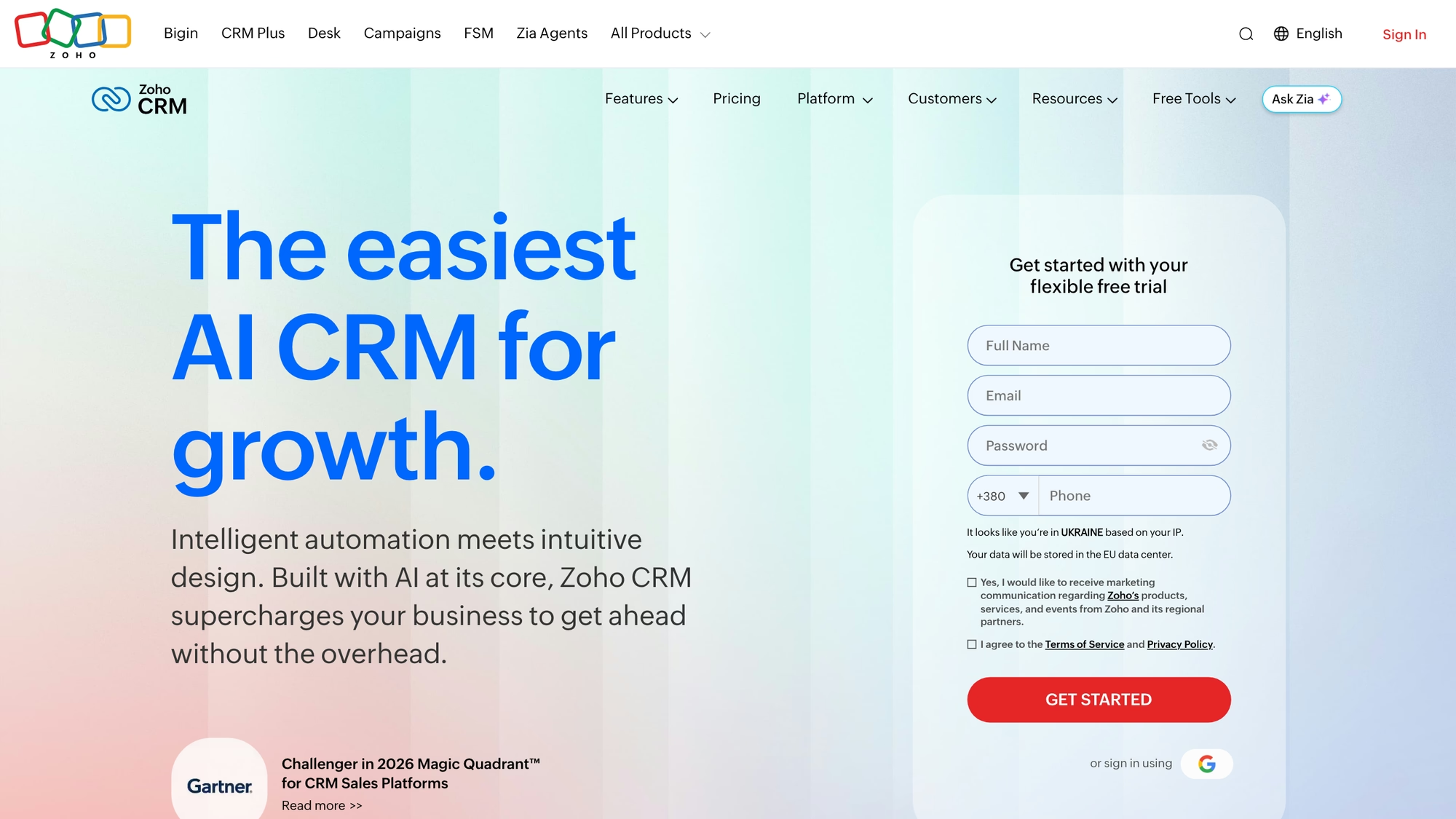
Billing is per user per month, with a monthly or annual toggle across editions that run from Standard to Ultimate. The pricing page places journey orchestration in Enterprise.
- Standard lists email integration with mass emails, custom modules, and workflows with assignment rules.
- Professional adds process management and predictive intelligence, and Enterprise adds a developer sandbox and an AI sales assistant.
- Live chat, visitor tracking and multichannel ticketing appear under Zoho CRM Plus, a separate product, and no CRM edition lists live chat.
Best for: a team that expects to move up in steps and wants every step named on the pricing page.
ActiveCampaign
ActiveCampaign includes one user seat on Starter and Plus, three on Pro and five on Enterprise, and that is the first limit to read on its pricing page. The rest of the meter counts contacts rather than people: the page shows rates billed yearly for 1,000 contacts, and monthly email sends scale with the contact count.
ActiveCampaign frames itself as an autonomous marketing platform, and its home page says a team of AI agents handles email, SMS and WhatsApp. The CRM sits inside that frame. The sales page describes pipelines customized by stage, automations that create deals and assign leads, round-robin routing or routing by rep expertise and lead score, personalized emails sent from the CRM, and AI scoring of every deal and lead.
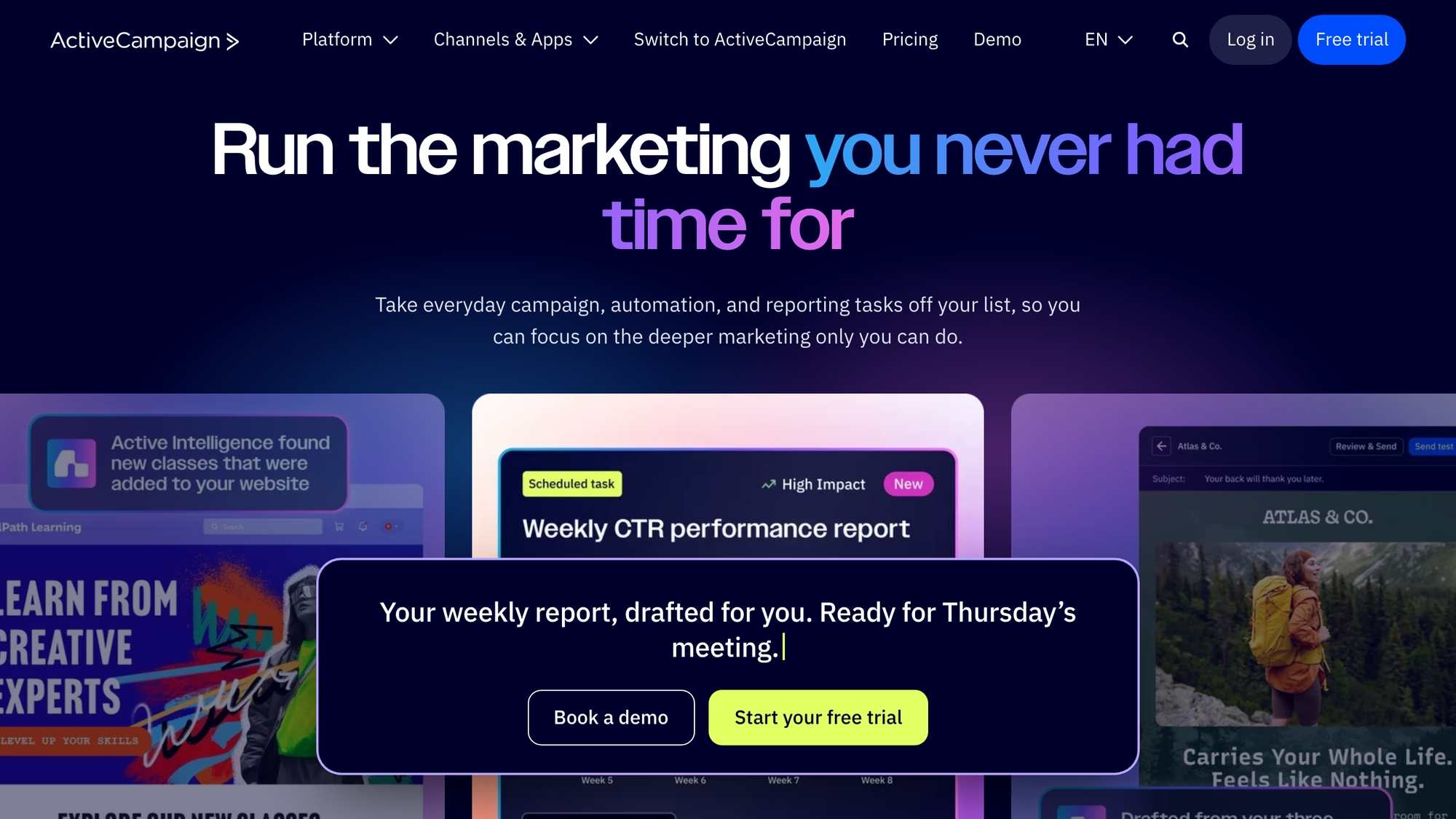
Which plan or add-on each CRM feature needs is not stated on the CRM page, so confirm that before you count on routing. The pricing page does list lead scoring under the Pipelines add-on, and not on Starter.
- Sales automation is listed on Plus and every plan above it, but not on Starter.
- SMS and WhatsApp are add-ons, and the WhatsApp messaging add-on includes a shared team inbox with broadcasts and flows.
- Landing pages are listed from Plus up, not on Starter.
- Pipelines and Sales engagement, two enhanced CRM add-ons, are sold separately.
Best for: a team whose main job is email and automation and that wants its CRM inside the same tool.
Brevo
Brevo's home page presents one AI-powered customer platform for marketing and sales, with channels listed as email, SMS, WhatsApp, push, live chat, a chatbot, a wallet and a phone channel. The sales module is the part that competes with a CRM. Its page lists pipelines you customize, automation for repetitive tasks, meetings that clients book, sales reports, calls made and received inside the CRM with recordings, and a shared inbox for customer emails with tasks and notes, while an AI sales assistant drafts sales emails, enriches contacts in one click and creates deals.
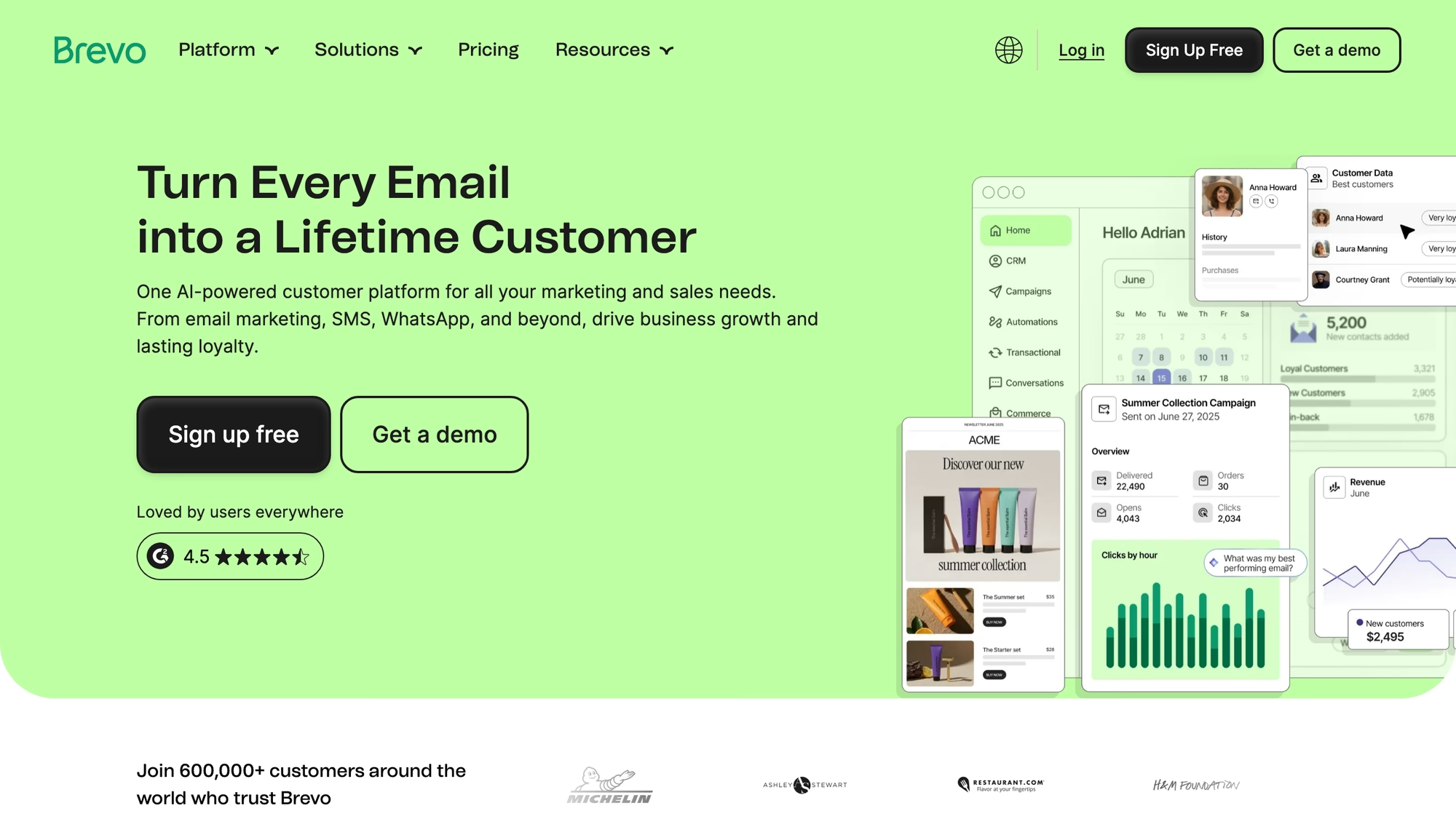
Brevo's two halves bill differently. Marketing plans are tied to the emails you send each month, while the sales module has an Essentials level with one seat included and an Advanced level priced per user.
- SMS credits are sold separately from the marketing plans.
- WhatsApp is listed from the Professional marketing plan.
- The Professional marketing plan lists 10 seats included.
Best for: a team that sends campaigns on email and SMS and wants a pipeline in the same platform.
Close
Close builds calling, email and SMS into the CRM, and its home page adds automation and AI around them. A workflow can send a first email, follow-up texts and tasks for reps, and a Smart View dialer works through a list of priority leads. AI notes capture what is said on calls and meetings, and the agents section lists voice agents as live and others as beta or coming soon, beside an assistant named Chloe.
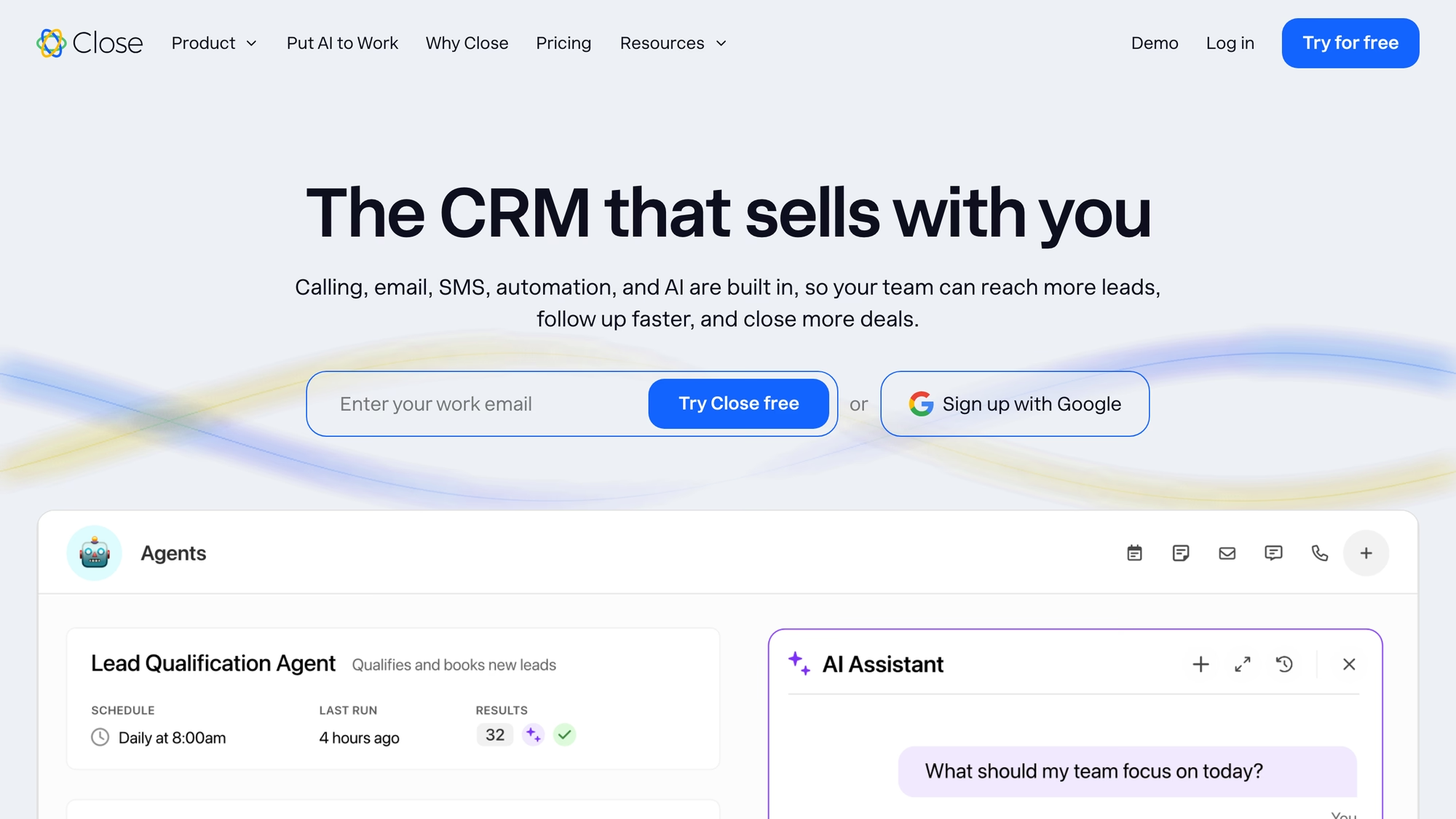
Close bills per user per month across four plans from Solo up to Scale, with calling charged on usage on top of the plan. The inbox it lists brings email, calls and SMS together for the seller, and no page checked describes ticketing or a customer chat widget.
- Calling, SMS, two-way email sync and API access are listed on every plan.
- The power dialer starts at Growth and the predictive dialer at Scale.
- Workflows are not included on Solo and Essentials and arrive with Growth.
- Call Assistant is an add-on that records and summarizes calls and transcribes them, billed per organization plus per minute.
Best for: outbound reps who spend the day on calls and in workflows.
Nutshell
Nutshell bills per user per month, across plans from Foundation up to Business and a higher tier above them, and what sits outside the plan matters here: the inbox and the messaging channels are an Engagement add-on, billed per user. Email marketing, SMS and the AI assistant carry their own meters as well.
Nutshell describes itself as a sales CRM with AI and marketing automation, aimed at quick setup. Its home page shows a drag-and-drop pipeline, an email builder, automation for follow-ups, integrations with other tools and iOS and Android apps.
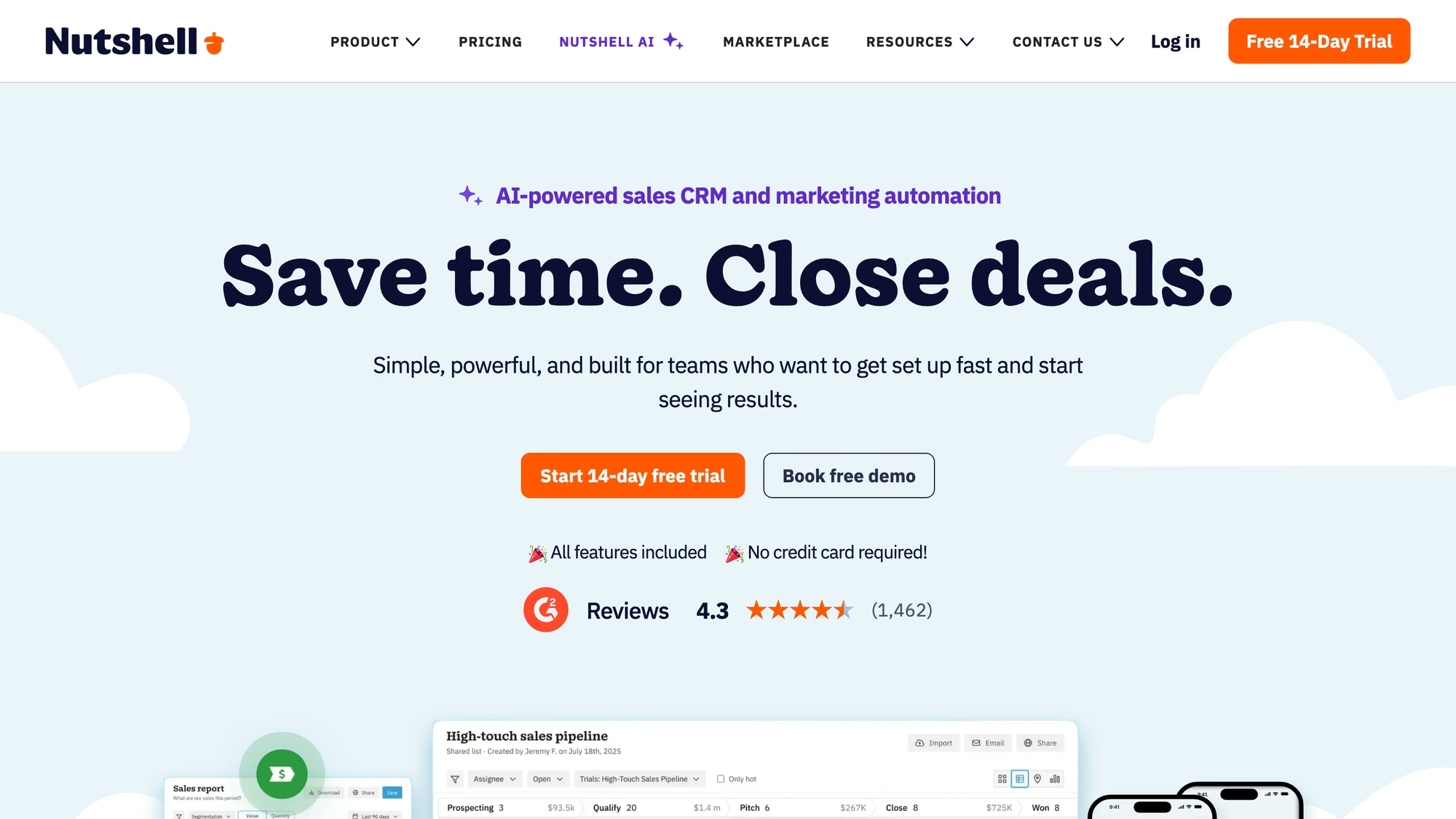
Every CRM subscription includes webchat, an AI chatbot, a form builder, landing pages, email marketing capabilities and attribution reporting, according to the pricing page.
- Sales automation appears from the Pro plan up.
- The Engagement add-on covers two-way SMS, a unified inbox, and WhatsApp, Messenger and Instagram integrations.
- Email marketing is priced by contact tier and SMS by message tier.
- Nutshell IQ, the AI add-on, is priced by credit tier.
Webchat is included, but the unified inbox is not, so count the Engagement add-on in the total if support conversations matter to you.
Best for: sales teams that want email marketing next to the pipeline and can live with messaging as an add-on.
HubSpot vs Pipedrive, Zoho CRM, ActiveCampaign and Salesforce
HubSpot vs Pipedrive is mostly a question of scope. HubSpot's CRM page lists a shared inbox and ticketing, and Pipedrive's pages checked describe a sales CRM. HubSpot sales pricing follows the Starter, Professional and Enterprise tiers of Sales Hub, while Pipedrive's plans run from Lite through Ultimate per seat, so a team that only sells can start with Pipedrive and a team that also answers customers will miss the inbox.
HubSpot vs Zoho CRM is closer. Both start from a CRM and climb through tiers, Zoho through editions from Standard to Ultimate billed per user and HubSpot through several hubs that each have their own. Zoho keeps live chat in Zoho CRM Plus, a separate product, where HubSpot's CRM page lists live chat among its tools.
And where does each one start? HubSpot vs ActiveCampaign is a question about the first screen: ActiveCampaign begins with marketing automation and meters by contacts, with seats included per plan, while HubSpot begins with the CRM and adds hubs around it.
Salesforce is a frequent comparison and is not profiled here.
Its own Starter Suite page lists sales, service, marketing, commerce and Slack on one connected platform, bills per user per month, and carries a note that the page is for information only and subject to change. That makes HubSpot vs Salesforce, and HubSpot CRM vs Salesforce in particular, a comparison between two suites, which is a different decision from the one this page covers: which single slice of a suite to keep. Pricing HubSpot against a per-user suite means counting hubs on one side and users on the other.
How each tool meters its AI
Every vendor above now sells an AI layer, and the meter differs more than the feature names do. HubSpot lists credits, and its Starter tier shows 500. Pipedrive says its Nova feature is included in all plans with no extra charge. ActiveCampaign includes Active Intelligence credits in every plan and lets you add more from checkout or the account page, Nutshell prices its Nutshell IQ assistant by credit tier, and Close bills Call Assistant per organization plus per minute of calls. HubSpot's pricing page also lists an AEO product marked as a beta, and HubSpot AEO pricing is outside this guide.
RolChat has no AI meter of its own. The text models run on a provider key that you connect, you pay that provider directly at its own rate, and the platform shows a calculator before a feature is switched on.
Ask each vendor what happens when the credits run out.
A team that automates replies on a busy day should know whether the answer is a hard stop, an overage or a prompt to upgrade.
What moves from HubSpot and what stays
RolChat's migration page lists HubSpot among the platforms it moves routinely. It names the customer list with custom fields, tags and notes, the agents and teams with their working hours and routing rules, and the chat widget, and it does not list marketing emails, landing pages or CMS content. The move is free when you pay yearly on Standard or above and takes one business day for a normal account. The old widget keeps working until you swap the script, so the cutover date is yours to choose, and HubSpot can keep running for the marketing work that does not move.
Which alternative fits which team
Where an inbox is the deciding factor, the platforms that ship one are RolChat, Brevo through its sales module, Nutshell through its Engagement add-on and ActiveCampaign inside its WhatsApp add-on, while Zoho keeps live chat and ticketing in Zoho CRM Plus. Pipedrive and Close list a seller's mailbox and no ticketing, which suits pipeline and calling work.
- Write down which HubSpot hubs your team actually opens in a normal week, and cross out the rest.
- Count the people who need a login, because Pipedrive, Zoho CRM, Close and Nutshell bill per user or seat, ActiveCampaign by contacts and Brevo by emails and seats, while RolChat bills per company.
- Decide whether conversations on a messenger, by SMS or on chat must land in the same place as the deals.
- Ask what leaves with you: the export formats of the old tool and the import formats of the new one.
Arithmetic is simplest where the unit is a company. A team of four outgrows Lite's three agents and takes Standard at $49 a month. A team of twelve pays $49 + 2 x $5 = $59 a month, because Standard covers ten agents and each extra agent is $5, which comes to about $590 a year on annual billing: $490 for the plan plus $100 for two extra agents at ten months each. A per-user vendor would have you multiply its unit by twelve instead, and its own plan page is where to find that unit.
What to test during the trial
Start with a real export, not a demo list: import a CSV of your HubSpot contacts, see which custom fields survive, and check how the tool handles a record that half matches an existing one.
- Import a real HubSpot export and count the custom fields that arrive.
- Send one message on each channel you use and see where each reply lands.
- Open a conversation and find the contact's deal and open ticket from it.
- Ask what a user beyond the plan, or a channel beyond the bundle, adds to the invoice.
Reports deserve a look too. A pipeline report that cannot show the conversations behind a deal, or an inbox that cannot show the deal, brings back the split you were trying to remove. RolChat keeps both on one record, and its tickets page explains the SLA side.
Compare
The table uses only what each vendor publishes, with the billing unit in the vendor's own terms and no amounts. HubSpot is added as a reference row, and HubSpot pricing tiers are read on HubSpot's own page. Plans and gates were checked on 9 November 2026.
| Platform | Shape | Inbox or ticketing in the product | Billing unit as published | Add-ons and metered extras named on the vendor's page |
|---|---|---|---|---|
| RolChat | Chat and email plus a messenger inbox, with tickets and a CRM | Yes | Per company, not per agent | Extra agents and sites on Standard and above, a consent module per site, AI on your own provider key |
| Pipedrive | Pipeline-first sales CRM | Not listed on the pages checked | Per seat per month | LeadBooster and Web Visitors add-ons |
| Zoho CRM | Sales CRM with editions from Standard to Ultimate | Live chat and multichannel ticketing only in Zoho CRM Plus | Per user per month | Zoho CRM Plus is a separate product |
| ActiveCampaign | Marketing automation with a CRM | Shared inbox in the WhatsApp add-on | By contacts, seats included per plan | SMS, WhatsApp, Pipelines and Sales engagement add-ons |
| Brevo | Marketing platform with a sales module | Shared inbox for customer emails in sales | Emails sent for marketing, seats for sales | SMS credits sold separately |
| Close | Calling-first sales CRM | Calling and SMS plus email sync, no ticketing listed | Per user per month, calling on usage | Call Assistant add-on, calling charged on usage |
| Nutshell | Small-business CRM with email marketing | Unified inbox in the Engagement add-on | Per user per month | Engagement, email marketing, SMS and Nutshell IQ add-ons |
| HubSpot | Suite for marketing, sales and service | Shared inbox and ticketing listed on the CRM page | Per seat, plus credits and marketing contact tiers | HubSpot Credits and marketing contact tiers |
FAQ
What is the best alternative to HubSpot?
It depends on the part of HubSpot you use: RolChat for a shared inbox, tickets and a CRM on one company price, Pipedrive or Close for a pipeline-first sales team, and ActiveCampaign, Brevo or Nutshell when email campaigns sit beside the CRM.
Is there a HubSpot alternative with a limited-time free offer?
RolChat has a Founding 300 offer that gives the first 300 companies the Lite plan free for 12 months, with its terms on its own page. RolChat has no free-forever plan and runs a 30-day trial. Every other vendor states its own terms on its own pricing page, so read them there before counting on an offer.
Why do teams look for an alternative to HubSpot?
Mostly because the suite is wider than the work. A team that only answers customers and tracks deals pays for a platform that also covers a CMS, marketing automation and data tools, and the bill counts seats, credits and marketing contacts at once.
How does HubSpot pricing work?
HubSpot pricing is built per hub. The pricing page lists Marketing Hub, Sales Hub, Service Hub, Content Hub, Data Hub and Revenue Hub, plus Smart CRM, Agent Hub, a Small Business Bundle and an AEO product marked as a beta, and the Sales Hub page names Starter, Professional and Enterprise tiers. The meters are seats, HubSpot Credits and marketing contact tiers, and the amounts are on HubSpot's own page.
What is the cheapest HubSpot alternative?
Compare the billing unit before the amount. Pipedrive, Zoho CRM, Close and Nutshell bill per user or seat, ActiveCampaign by contacts, and Brevo by emails for marketing and by seat for sales. RolChat bills per company, and Lite is $19 a month for 3 agents, as its pricing page said on 9 November 2026. Other vendors publish their own amounts.
What are the main HubSpot competitors?
The HubSpot competitors profiled here are Pipedrive, Zoho CRM, ActiveCampaign, Brevo, Close, Nutshell and RolChat. Salesforce is a frequent comparison and is not profiled.
HubSpot vs Pipedrive: which suits a small sales team?
A team that only sells can start with Pipedrive, and a team that also supports customers needs an inbox beside the CRM, as the comparison section above sets out.
HubSpot vs Zoho CRM: what differs?
Both climb from a CRM through tiers, Zoho through editions billed per user and HubSpot through several hubs, and Zoho keeps live chat in a separate product.
HubSpot vs ActiveCampaign: CRM first or marketing first?
ActiveCampaign starts from marketing automation and meters by contacts, HubSpot starts from the CRM, so choose by the side your team opens first.
Is there a HubSpot alternative with a shared inbox and ticketing?
RolChat puts web chat, email, Telegram and, from Standard, WhatsApp, SMS and other messengers in one inbox with tickets and a CRM beside it. Brevo's sales module has a shared inbox for customer emails, and Nutshell sells a unified inbox in an Engagement add-on.
Can I move my HubSpot contacts to RolChat?
Yes, HubSpot is on RolChat's list of routine migrations, and the section on what moves and what stays has the details.
Does RolChat replace HubSpot marketing automation?
RolChat is built around the inbox, tickets and CRM and is not a CMS. Its marketing side is described on its own marketing page, so a team that lives in email automation should check that page against its needs, and ActiveCampaign, Brevo or HubSpot itself fit better there.

Writes about customer support operations, live chat, AI-assisted service and the tooling behind great customer experience.
LinkedIn